
Free file compressors: 7-Zip, PeaZip and NanaZip vs WinRAR
By Pull This RepoPosted 5 min read
Short answer
The best free file compressor for Windows is 7-Zip: it is open source, free for commercial use, creates 7z, ZIP, TAR and more, and opens RAR files. NanaZip is a 7-Zip fork with a Windows 11 look, PeaZip runs on Windows, macOS and Linux, and Keka is a free Mac option. WinRAR's single licence was $29 on 22 November 2026.
A free file compressor packs files into one smaller archive and opens the archives other people send you, without a licence prompt. If you searched for a files compressor free of nag screens, 7-Zip is the default answer on Windows. NanaZip gives the same engine a Windows 11 look, PeaZip covers Windows, macOS and Linux, and Keka is the free pick on a Mac. This page compares them with WinRAR, with formats, licences and prices read from each project's own site and the GitHub API on 22 November 2026.
Which free file compressor should you use?
| Tool | Runs on | Licence | Creates | Stars on 22 Nov 2026 |
|---|---|---|---|---|
| 7-Zip | Windows (11 back to XP) | mostly GNU LGPL, some BSD 3-clause, unRAR restriction | 7z, XZ, BZIP2, GZIP, TAR, ZIP, WIM | 4,568 (official mirror) |
| NanaZip | Windows 10 version 2004 or later, Windows Server 2022 or later | MIT for its own code, 7-Zip licence for 7-Zip code | the 7-Zip set plus Zstandard, Brotli, LZ4 and others | 16,339 |
| PeaZip | Windows, macOS, Linux, BSD | LGPLv3 | 7Z, ARC, Brotli, BZ2, GZ, PEA, TAR, WIM, Zstandard, ZIP | 8,181 |
| Keka | macOS 10.10 or newer | free, but the site says all rights reserved | 7Z, ZIP, TAR, GZIP, BZIP2, XZ, DMG, ISO, ZSTD, WIM and more | 7,694 (issues repo) |
| WinRAR | Windows | paid, trial available | RAR, its own format | not on GitHub |
Latest versions on 22 November 2026: 7-Zip 26.06 (6 November 2026), NanaZip 7.0.1882.0 (26 October 2026 on GitHub), PeaZip 11.4.0 (17 October 2026) and Keka 1.6.8. WinRAR's newest full release on rarlab.com was 7.23, with a 7.30 beta listed.
WinRAR's shop listed a single-user licence at $29, excluding VAT, with volume prices from $21 a user for 2 to 9 users.
Is 7-Zip still the best free option?
For most Windows users, yes. 7-Zip's site says you can use it on any computer, including in a commercial organisation, with no need to register or pay. It creates 7z, XZ, BZIP2, GZIP, TAR, ZIP and WIM archives and unpacks about 30 more formats, including RAR, ISO, DMG, VHD and VHDX, VMDK and RPM.
The site also claims that for ZIP and GZIP files, 7-Zip's compression ratio is 2 to 10 percent better than PKZip and WinZip. That is the project's own claim, and real results depend on your files: photos and videos are already compressed and barely shrink.
The look is plain and old-fashioned. A modern Windows look and File Explorer menu is the gap NanaZip fills.
What does NanaZip add to 7-Zip?
NanaZip is an open source fork of 7-Zip "intended for the modern Windows experience". Its README lists:
- Dark mode and the Mica effect on the main window.
- An entry in the Windows 10 and 11 File Explorer context menu.
- A 7-Zip command alias, to make switching easier.
- Smart Extraction and an option to open the folder after extracting.
- Mark-of-the-Web propagated to extracted files by default, so Windows still warns about downloaded programs inside an archive.
- Extra codecs from 7-Zip ZS, such as Zstandard, Brotli, LZ4 and Lizard, and many more hash algorithms.
It is packaged as MSIX and listed on the Microsoft Store. The README also mentions a paid Sponsor Edition, which it describes as more like a contributor's edition and which is free for anyone who contributes code. NanaZip 6.0 and later need Windows 10 version 2004 (build 19041) or newer on 64-bit x86 or ARM.
Is PeaZip good for Mac and Linux?
Yes, PeaZip is the cross-platform pick. Its site lists Linux, macOS and BSD builds alongside Windows, says it supports over 200 archive formats, and says it is free for any use, private and professional, under LGPLv3.
It can create 7Z, ARC, Brotli, BZ2, GZ, its own PEA format, TAR, WIM, Zstandard and ZIP. Its site says creating RAR needs WinRAR to be installed. PeaZip also leans on encryption: AES, Twofish and Serpent, with optional two factor authentication using a password plus a keyfile.
What is the best free file compressor for Mac?
Keka is the Mac favourite, but it is free rather than open source. The download on keka.io is free, and the site says buying it from the Mac App Store supports development and gets the same app, updated through the App Store. The GitHub repo is mainly for issues and its wiki, and the site footer says all rights reserved.
Keka creates 7Z, ZIP, TAR, GZIP, BZIP2, XZ, LZIP, DMG, ISO, BROTLI, ZSTD, LRZIP, AAR and WIM files, and extracts a longer list that includes RAR, ZIPX, CAB, MSI, EXE, APK and JAR. Its site says it uses AES-256 encryption for 7z files and the older Zip 2.0 encryption for ZIP files, and it can split huge archives into pieces. You can drag files onto its Dock icon without opening a window.
If you want a fully open source Mac option, PeaZip has a macOS build.
Do you even need a file compressor on Windows 11?
Maybe not for opening files. Microsoft's support page says Windows 11 version 24H2 supports ZIP, RAR, 7z and TAR archives. Windows does not support encrypted archives, though, and the page only describes creating ZIP folders. If you get password protected archives or want 7z output, install one of the tools above.
What is the catch?
These tools cover almost everything WinRAR does, with a few honest gaps.
- No RAR creation. Only WinRAR makes RAR files. Every free tool here opens them, but PeaZip needs WinRAR installed to create one, and 7-Zip and NanaZip cannot.
- Licence details vary. 7-Zip includes code under an unRAR restriction, NanaZip mixes MIT with the 7-Zip licence, and Keka is not open source.
- Compression is not magic. Videos, photos and existing archives hardly shrink. The 2 to 10 percent gain 7-Zip claims applies to ZIP and GZIP output.
- Old Windows versions. NanaZip needs Windows 10 version 2004 or later. On older PCs, plain 7-Zip still supports Windows back to XP.
What if the archive is bigger than your free space?
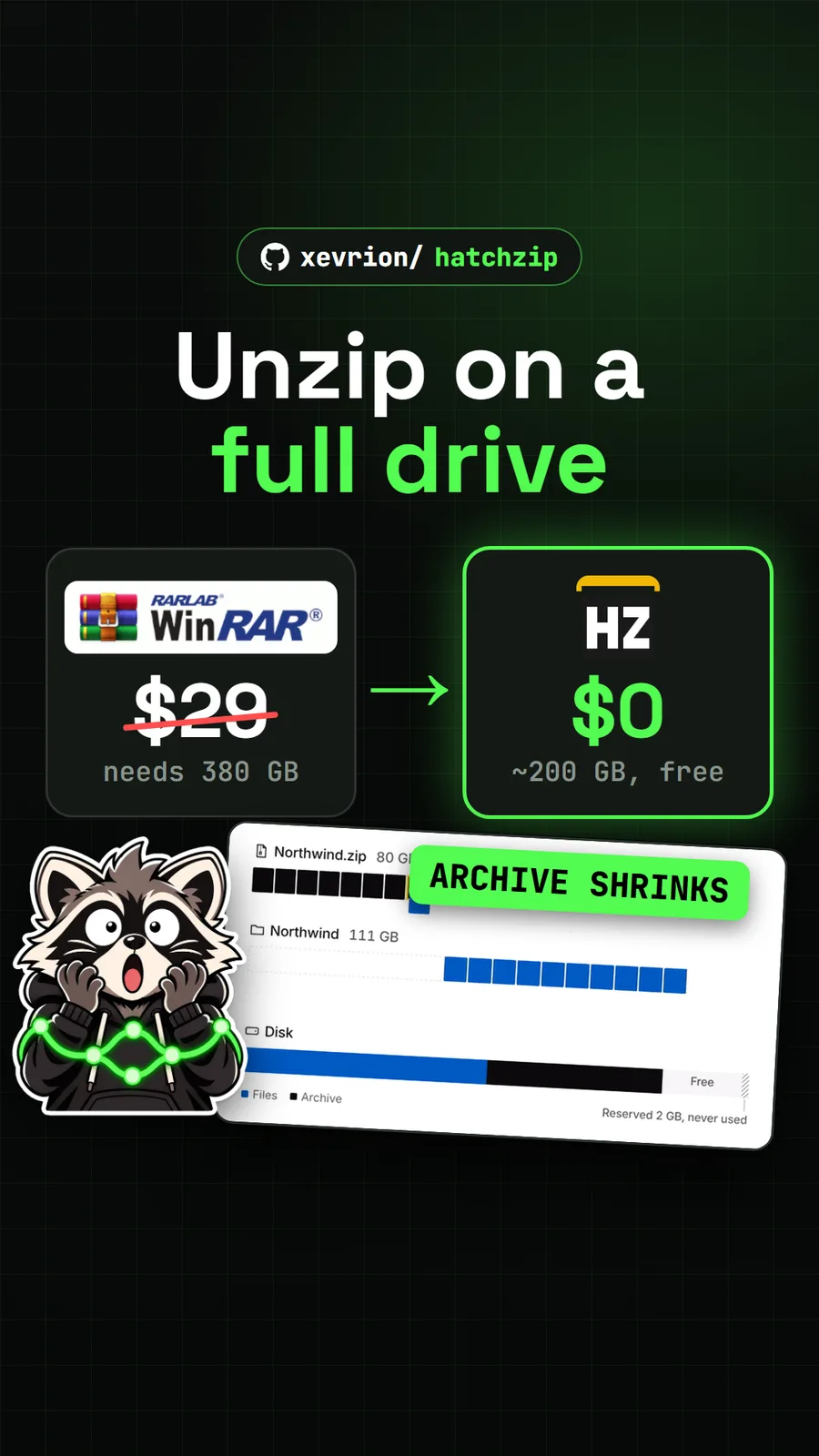
A normal extractor needs room for both the archive and its contents. HatchZip is a free open source extractor that unpacks ZIP, 7z, RAR and tar files in place, freeing the archive as it goes. To keep folders in step across computers instead of zipping and emailing them, see our guide to free file sync software, and for more free swaps, our list of open source alternatives.
Pull it. Stash it.
Questions people ask
What is the best free file compressor?
7-Zip for most Windows users. It is free for any use, most of its code is under the GNU LGPL, and it creates 7z, ZIP, GZIP, BZIP2, XZ, TAR and WIM archives. On a Mac, Keka is free from its own site, and PeaZip runs on Windows, macOS and Linux.
Is 7-Zip better than WinRAR?
For most people it does the same job for free. 7-Zip opens RAR files but cannot create them, and its site claims ZIP and GZIP output 2 to 10 percent smaller than PKZip and WinZip. WinRAR creates RAR archives and cost $29 for one user on rarlab's shop on 22 November 2026.
Can I create RAR files for free?
Not with these tools on their own. RAR is WinRAR's format. 7-Zip and NanaZip only extract it, and PeaZip's site says creating RAR needs WinRAR installed. If you just need a small archive to share, 7z or ZIP works everywhere these tools run.
Does Windows 11 open RAR and 7z files without an app?
Yes, on recent versions. Microsoft's support page says Windows 11 version 24H2 supports ZIP, RAR, 7z and TAR archives. It does not support encrypted archives, so you still need a tool such as 7-Zip for password protected files.
Is NanaZip safe?
NanaZip is an open source fork of 7-Zip from M2-Team, published on GitHub and the Microsoft Store. Its README says it propagates Mark-of-the-Web to extracted files by default and adds security mitigations such as Control Flow Guard. Download it only from the official pages it lists.
Sources
- 17-Zip official site (read 2026-11-22)
- 2ip7z/7zip
- 3PeaZip official site (read 2026-11-22)
- 4peazip/PeaZip
- 5NanaZip README (read 2026-11-22)
- 6NanaZip licence file (read 2026-11-22)
- 7Keka official site (read 2026-11-22)
- 8aonez/Keka
- 9RARLAB home page (read 2026-11-22)
- 10RARLAB WinRAR shop (read 2026-11-22)
- 11Microsoft Support: Zip and unzip files (read 2026-11-22)
More repos like this
Get tomorrow's repo in your feed
One free, open source repo a day as a short video, shown working, with the catch named. Pull it. Stash it.
